PERIBOARD-706
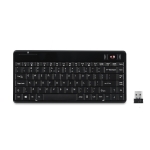
Will PERIBOARD-706 work with windows 10?
- PERIBOARD-706 is programmed to work with Windows 10. You don't have to install a driver since it is equipped with Plug & Play, so you only have to plug it into your device and PERIBOARD-514 will work.
Do you need to press fn key to use media pause play stop while using PERIBOARD-706?
- Yes, the multimedia keys in PERIBOARD-706 work only in combination with the Fn key.
Do you sell a hard shell travel case for PERIBOARD-706?
- We don't have this kind of traveling accessories yet.
How to add the language layout on my keyboard?
1. Open Settings: Click on the Start menu, then select the "Settings" gear icon.
Alternatively, you can press Win + I on your keyboard to open Settings directly.
Navigate to Time & Language: In the Settings menu, click on “Time & language.”
2. Select Language & region: On the sidebar, click on “Language & region.”
Here you'll see the languages currently installed.
3. Add a Language: If the language you would like to add is not already listed:
Click on “Add a language.”
4. Search for and select the language you want. then, click "Next" and then "Install"
to add the language pack.
7. Switch Between Keyboard Layouts: You can switch between keyboard layouts by
clicking on the language icon in the taskbar (near the clock) or by using the
shortcut Win + Space to cycle through the available keyboard layouts.
PERIBOARD-706 won’t type after computer restart, what shall I do?
1. Check Battery: PERIBOARD-706 relies on batteries for power. An insufficient battery charge can lead to it not functioning correctly. To check the battery, ensure the batteries are inserted correctly, matching the positive and negative ends with the markings inside the battery compartment. If the batteries are rechargeable, charge them fully before use. If they are disposable, try replacing them with fresh ones to see if this resolves the issue. Some keyboards have battery indicators or software that shows the current battery level. Check these to ensure the batteries are adequately charged.
2. Test on Another Computer: To identify the problem, try connecting the PERIBOARD-706 to another computer. This step is crucial as it helps isolate the issue. If the keyboard works fine on another system or computer, the problem might be with your original computer's hardware or software configurations. However, if it doesn't work on any computer, the keyboard itself might be faulty.
3. Direct Connection to Computer Ports: Often, issues with USB devices can stem from unstable connections, especially when using USB hubs or extension cables. Disconnect the PERIBOARD-706 from any USB hubs or extension cables. Connect it directly to one of your computer's USB ports. Preferably, use a USB port on the back of a desktop computer, as these ports are directly connected to the motherboard and usually provide a more stable connection than front-side ports or ports on laptops.
4. Check and Update Drivers: Remove any previously installed keyboard drivers, then restart your computer. This can resolve conflicts between the keyboard software and your system. For this process, go to device manager and check the driver in Keyboards
- Select “Scan for hardware changes. This will allow your operating system to refresh the new hardware for plug and play.
- After refreshing the hardware list, please select “Update driver’ to check the any updates.
- Select the option “Search automatically for driver” check driver to update or reinstall for your operating system. After your operating system confirms to reinstall the driver, your mouse is confirmed that its driver is ready to operate.
5. Contact Customer Support: If, after following all the above steps, your PERIBOARD-706 still doesn't work, it's time to seek further assistance. Reach out to customer support for personalized troubleshooting and potential repair or replacement options. Visit the official website and navigate to the support section to find contact information or a support request form. Provide a detailed description of the issue and the steps you've already taken to try to resolve it.
How can I address issues like double letters on PERIBOARD-706 keyboard?
- To address issues like double letters on your keyboard, you can try the following steps:
- Open Settings: Click on the Start menu, then select the "Settings" gear icon. Alternatively, you can press Win + I on your keyboard to open Settings directly.
- Navigate to Ease of Access: In the Settings menu, click on “Ease of Access.”
- Scroll down the left side to find the "Keyboard" from "Interaction" section
in "Ease of Access."
- Please turn on "Ignore brief or repeated keystrokes and change keyboard repeat
rates" on "Use Filter Keys" section in Keyboard.
- Test the keyboard to see if the issue is resolved. If not, you can try cleaning the keys.
How to clean a Key on the keyboard?
- Unplug or turn off the keyboard.
- Identify the key causing the issue (e.g., the 'Y' key), then gently pry up the key using a small, flat instrument (flat-head screwdriver) or your nail. Insert the tool or your nail under the edge of the keycap and carefully lift it up. Be gentle to avoid damaging the keycap or the switch.
- Use the swab to clean any sticky areas on and around the key switch. Make sure to clean the underside of the keycap as well. If there is visible debris, use a dry cotton swab or compressed air to remove it before using the alcohol.
- Reinsert the key back into its original place by gently pressing it down until it snaps back into place.
- Check the keys to see if the issue is resolved.
How to Use the Multimedia keys?
Multimedia key enables multimedia actions like adjusting volume or brightness and other actions.
How to rebind the receiver?
1. Insert batteries into the keyboard and switch the keyboard on
2. Press the "Connect" button from bottom of the keyboard
3. Plug the receiver into the USB port on computer. It takes 3-5 seconds to connect.